Session 4: 7segment, useful application#
Review#
From previous sessions we have learned to:
Show a number on a 7segment
Work with multiple 7segments
Assignment#
For this session we are going show some trading data on 8 7segments. To do so, we need to take the following steps:
Connect 8 7segments to the microcontroller. (in simulation.)
At first, 4 7segments should show the name of the cryptocurrency.
For example, we can show
BTCfor Bitcoin.
second, 4 7segments should show the price of the cryptocurrency.
We want to show the price with 2 decimal points.
For example, for the price, we can show:
84.32.
Data are in 2 arrays:
names: contains the names of the cryptocurrencies
values: contains the prices of the cryptocurrencies
Valid charachters#
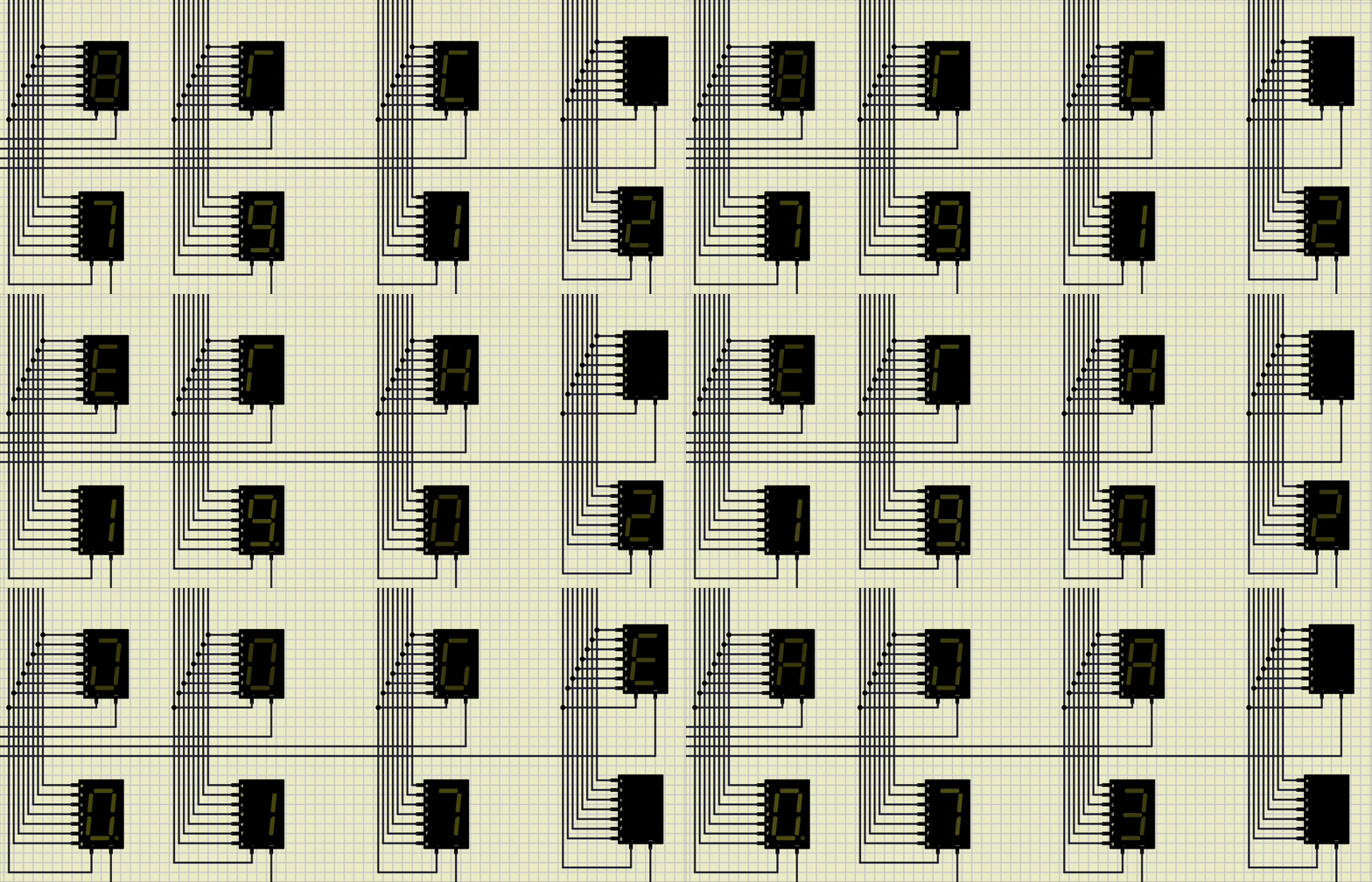
For all of us to be in the same page for the character presentation, we all use the presentation provided by this link
Example#
Data arrays:
String names[4] = {"BTC", "ETH", "DOGE", "ADA"};
float values[4] = {79.12, 19.02, 0.17, 0.73};
Expected Output: